Why Smart Thermostat Repair Matters for Your Home Comfort
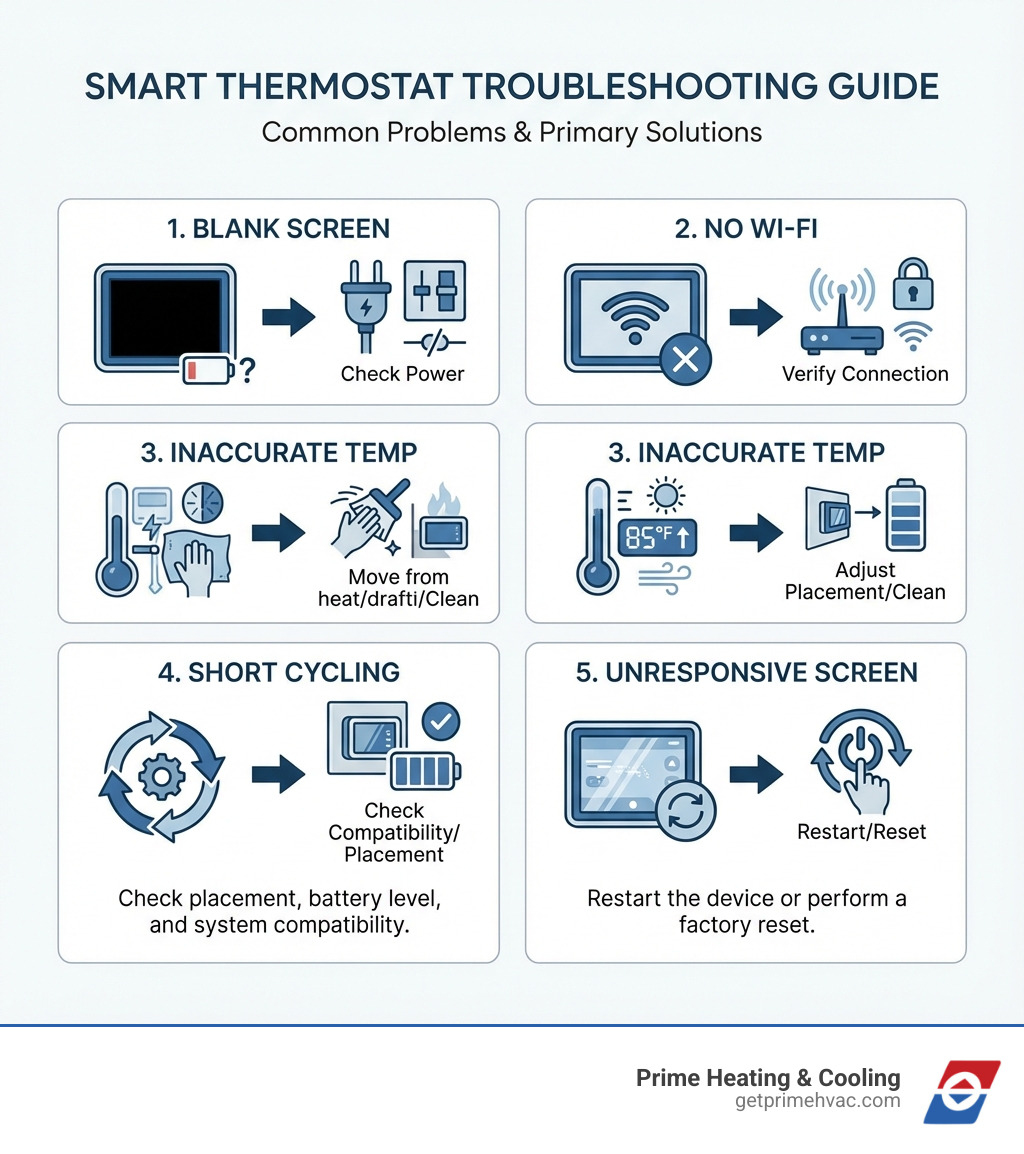
Smart thermostat repair is often simpler than you think. Most issues—like blank screens, connectivity problems, or temperature inaccuracies—can be fixed with basic troubleshooting steps such as checking power sources, cleaning the device, restarting the system, or adjusting placement away from heat sources or direct sunlight.
Quick Fixes for Common Smart Thermostat Problems:
- Blank or unresponsive screen – Check batteries, circuit breaker, and C-wire connections
- Won’t connect to Wi-Fi – Verify password, restart router, check signal strength
- Inaccurate temperature readings – Move away from sunlight/drafts, clean sensors, calibrate
- HVAC short cycling – Check thermostat placement, battery level, and system compatibility
- Unresponsive controls – Restart the device or perform a factory reset
Sometimes your smart thermostat just stops working. The screen goes blank. The temperature reading seems off by several degrees. Your heating or cooling system won’t respond to commands. These frustrating moments often happen at the worst possible times—during a New England cold snap or a summer heat wave.
The good news? Many smart thermostat issues don’t require an expensive service call. Simple problems like dead batteries, loose wiring, poor Wi-Fi connectivity, or improper placement can usually be fixed in minutes. Understanding what’s wrong and knowing when you can fix it yourself versus when to call a professional saves you time, money, and discomfort.
Smart thermostats are designed to last around 10 years and can save you up to 23% on your heating and cooling bills when working properly. That’s why keeping yours in good working order matters—not just for comfort, but for your wallet too.
I’m Tyler Steiner, founder of Prime Heating & Cooling, and I’ve helped hundreds of New England homeowners troubleshoot and repair their smart thermostats over the years. Through hands-on experience with every major brand and system type, I’ve learned that most smart thermostat repair issues follow predictable patterns—and most have straightforward solutions.
Identifying the Problem: Common Signs of a Faulty Smart Thermostat
Before we dive into fixing anything, let’s play detective. Knowing the signs that your smart thermostat needs attention is the first step in effective smart thermostat repair. A malfunctioning thermostat can lead to unnecessary energy waste and an uncomfortable home, so catching these issues early is key.
Here are the common red flags we often see:
- Blank or Unresponsive Screen: This is perhaps the most alarming sign. If your thermostat screen is completely blank, dim, or simply doesn’t respond to touch or button presses, it’s clearly not doing its job. It’s like your smart device has decided to take an unscheduled nap!
- Temperature Inaccuracies: You set the thermostat to 70°F, but your home feels like 75°F. Or perhaps it’s reading a wildly different temperature than another thermometer in the same room. This can lead to your HVAC system working overtime or not enough, making your home less comfortable and driving up energy bills.
- HVAC Short Cycling: This is when your heating or cooling system turns on and off in rapid, short bursts, instead of running for a longer, consistent period. This isn’t just annoying; it puts undue stress on your HVAC system, can lead to uneven temperatures, and signals a deeper problem that needs addressing.
- Won’t Turn On or Off: The primary function of your thermostat is to control your HVAC system. If your AC won’t kick in on a sweltering Rhode Island day, or your furnace refuses to ignite during a Massachusetts winter, your thermostat might be the culprit. Conversely, if your system runs continuously without reaching the set temperature or shuts off prematurely, that’s also a problem.
- Connectivity Issues: Smart thermostats pride themselves on their Wi-Fi capabilities, allowing remote control and smart features. If your thermostat constantly drops its Wi-Fi connection, you can’t control it from your phone, or it fails to integrate with other smart home devices, its “smart” features are effectively disabled.
- High Energy Bills: While often a symptom rather than a direct sign, if your energy bills suddenly skyrocket without a change in usage habits, a faulty thermostat could be secretly costing you money. An inaccurate or malfunctioning thermostat can cause your HVAC system to run inefficiently, leading to higher utility costs. As we’ve discussed before, a faulty thermostat can significantly affect your AC system’s efficiency and your wallet. For more on this, check out our guide: How a Faulty Thermostat Affects Your AC System: Repair and Solutions.
Recognizing these signs early can save you from bigger headaches down the road. In the next section, we’ll explore how you can tackle some of these issues yourself.
Your Guide to DIY Smart Thermostat Repair
Many common smart thermostat issues can be resolved with a bit of troubleshooting and some basic DIY skills. Think of it as a first aid kit for your home comfort system. Before calling in the pros, we always recommend trying these steps. You might be surprised at what you can fix!
Troubleshooting Power and Connectivity: A Smart Thermostat Repair First Step
When your smart thermostat isn’t responding, or seems disconnected, the first place we look is at its lifeline: power and connectivity.
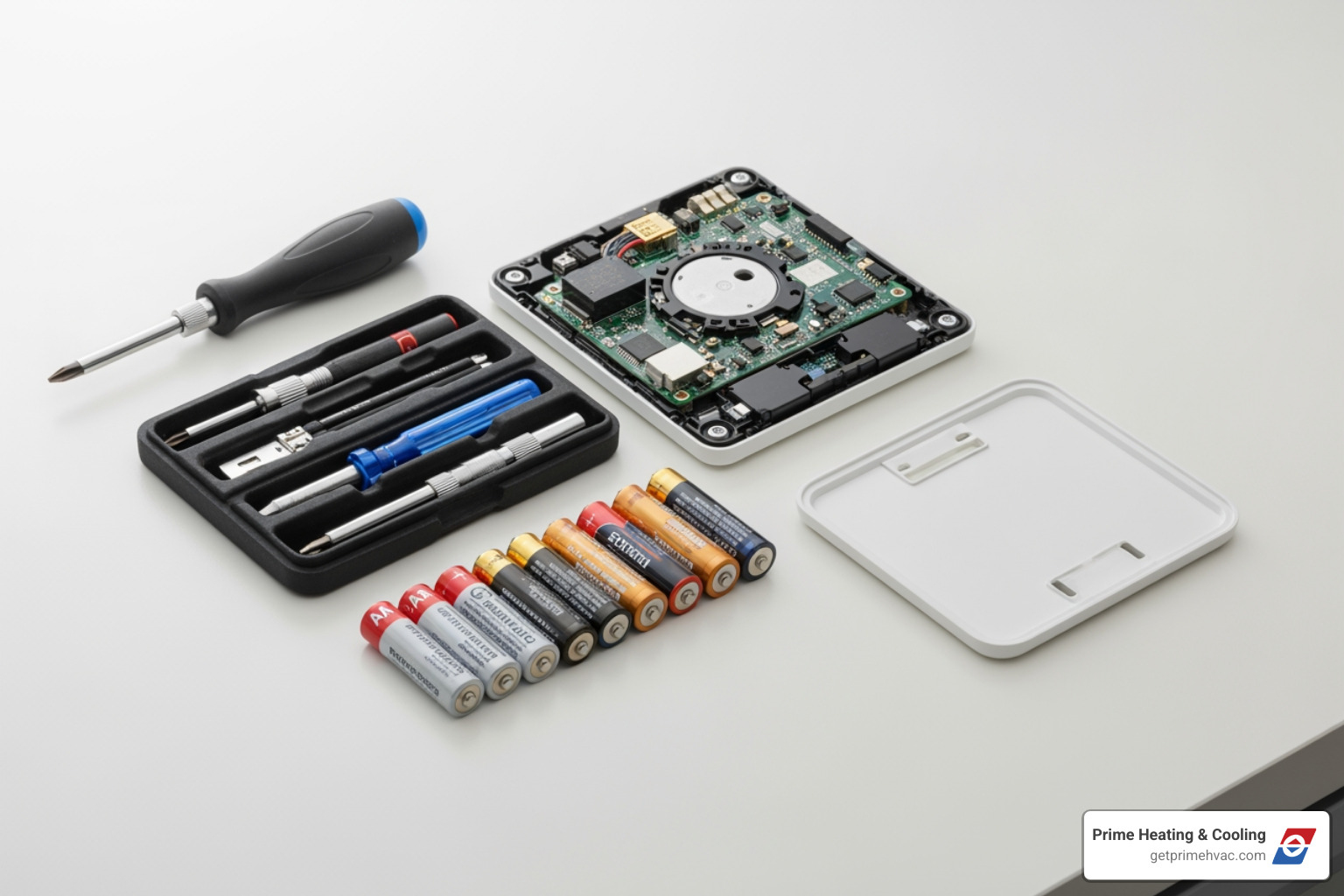
- Check Batteries (if applicable): Many smart thermostats use batteries as a backup or primary power source. If your screen is blank or unresponsive, the simplest solution might be dead batteries. We recommend checking and replacing them as needed, typically every 6-12 months. This is often an overlooked step in smart thermostat repair!
- Blown Fuse or Tripped Circuit Breaker: Your HVAC system, and by extension your thermostat, is connected to your home’s electrical panel. A blank screen or a system that won’t turn on could be due to a blown fuse in your furnace or air handler, or a tripped circuit breaker for your HVAC unit. Check your electrical panel and reset any tripped breakers.
- The C-Wire (Common Wire): This unsung hero provides continuous 24-volt power to your smart thermostat. Without it, your thermostat might try to “power steal” from other wires, leading to intermittent power, battery drain, or a blank screen. If you have power issues, especially with a new smart thermostat installation, we’ll often investigate the C-wire. We’ll dive deeper into the C-wire in our FAQ section.
- Loose Wiring or Screws: Over time, wires can become loose at the thermostat’s baseplate or at the HVAC control board. This can cause inconsistent power, erratic behavior, or your system to “short cycle” (turn on and off too frequently). Carefully remove your thermostat’s faceplate (after turning off power at the breaker!) and gently push any loose wires back into their terminals. Ensure the terminal screws are snug, but don’t overtighten them.
- Wi-Fi Connection Issues: Smart thermostats rely heavily on a stable Wi-Fi connection for their “smart” features. If you’re experiencing problems with remote control, scheduling, or software updates, your Wi-Fi might be the culprit.
- Incorrect Wi-Fi Password: It sounds simple, but an incorrect password is a common reason for connectivity failure. Double-check the password you entered on your thermostat.
- Wi-Fi Signal Strength: Just like your phone, your thermostat needs a good signal. If your Wi-Fi router is far away or blocked by thick walls, the signal might be too weak. Try moving your router closer or investing in a Wi-Fi extender.
- Restart Your Router and Smart Thermostat: The classic IT solution often works wonders! Unplug your Wi-Fi router for about 30 seconds, then plug it back in. Once your router is back online, restart your smart thermostat. This can often clear up minor glitches and re-establish a stable connection.
For more detailed steps on resolving connectivity issues, Asurion offers some helpful tips: How to troubleshoot common smart thermostat problems | Asurion
Calibrating and Cleaning: Smart Thermostat Repair for Temperature Issues
If your thermostat has power and is connected, but your home’s temperature still feels off, we move on to environmental factors and calibration.
- Thermostat Location Matters: This is huge! The location of your smart thermostat profoundly affects its performance and accuracy.
- Direct Sunlight: If your thermostat is bathed in direct sunlight, it will read a much higher temperature than the actual room temperature. This tricks your AC into running longer than necessary, wasting energy and making your home too cold.
- Heat Sources: Placing your thermostat near heat-generating appliances (lamps, TVs, stoves, or even a heating vent) will also cause it to read inaccurately high, leading to overcooling.
- Drafts from Windows or Doors: Conversely, a thermostat near a drafty window or door will register a lower temperature, causing your furnace to kick on more often than needed, resulting in overheating and wasted energy.
- Ideal Locations: We always recommend placing your thermostat on an interior wall in a frequently used central area of your home, away from direct sunlight, heat sources, and drafts. This ensures it gets the most accurate reading of your home’s average temperature.
- Cleaning Dust and Debris: Over time, dust, pet dander, and other airborne particles can accumulate inside your thermostat’s casing, particularly on its temperature sensors. This grime can insulate the sensors or interfere with their operation, leading to inaccurate readings. Gently remove the faceplate (after turning off power!) and use a soft brush or compressed air to clean any dust from the internal components.
- Temperature Calibration: If your thermostat consistently reads a few degrees off, even after checking its location and cleaning, it might need calibration. Many smart thermostats have a calibration setting in their menu or companion app that allows you to adjust the displayed temperature to match a known accurate thermometer. Place a reliable thermometer next to your smart thermostat for 15-30 minutes, then adjust your smart thermostat’s reading to match it.
- Short Cycling Causes: Beyond power issues, short cycling (when your HVAC system turns on and off too frequently) can also be related to temperature inaccuracies or improper thermostat settings. If your thermostat thinks the room is warmer or cooler than it actually is, it might trigger the system prematurely or shut it off too soon. Correcting location, cleaning, and calibration can often resolve these issues.
Balancing comfort and energy savings is a delicate dance, and your thermostat plays a leading role. For more insights on optimizing your thermostat settings for efficiency, check out our Top Tips for Balancing Comfort and Energy Savings.
Software Fixes: Restarting, Resetting, and Updating
Sometimes, the problem isn’t hardware or location, but rather a software glitch. Just like your phone or computer, your smart thermostat runs on software that can occasionally get confused.
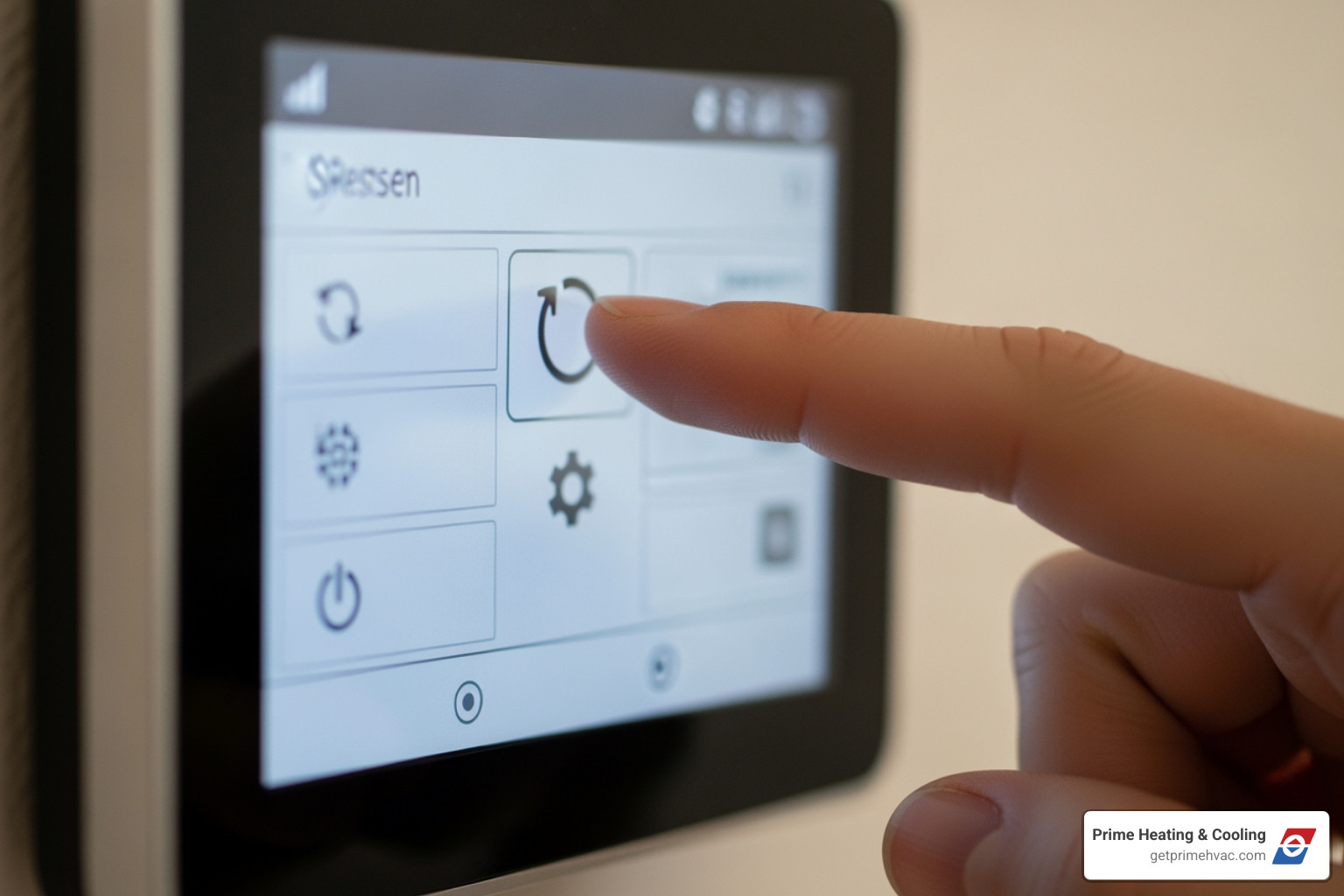
- Restarting Your Smart Thermostat: This is the simplest software fix and our go-to first step for many control issues or an unresponsive screen that isn’t power-related. A restart is like giving your thermostat a quick refresh; it clears temporary errors without erasing your settings or schedules. Most smart thermostats have a “Restart” option in their settings menu. If the screen is completely frozen, you might need to perform a manual restart (e.g., removing batteries, or holding down a specific button combination for several seconds).
- Factory Resetting Your Smart Thermostat: This is a more drastic step. A factory reset wipes all your personal settings, schedules, Wi-Fi credentials, and learned behaviors, restoring the thermostat to its original factory defaults.
- When to Restart: Use a restart for minor glitches, freezing, or intermittent connectivity issues where you want to retain your settings.
- When to Factory Reset: Consider a factory reset if a restart doesn’t resolve persistent problems, if you’re selling your home and leaving the thermostat behind, or if you’re experiencing complex, unresolvable software bugs. Important: Before performing a factory reset, make sure to note down any specific wiring configurations or advanced settings, as you’ll need to re-enter them during the setup process.
- Check for Software Updates: Smart thermostat manufacturers regularly release software (firmware) updates to improve performance, add features, and fix bugs. If your thermostat is connected to Wi-Fi, it might update automatically. However, it’s a good idea to periodically check for available updates in your thermostat’s settings menu or its companion app. An outdated software version can lead to control issues, connectivity problems, or even temperature inaccuracies.
- Companion App Updates: Don’t forget the app on your phone! Ensure the companion app for your smart thermostat is also up-to-date. Outdated apps can sometimes cause communication issues between your phone and the thermostat, leading to remote control failures.
For specific instructions on restarting or resetting popular smart thermostats, Google’s Nest support offers a great guide: Restart or reset a Nest thermostat .
When to Call a Professional for Complex Issues
While many issues can be tackled with DIY smart thermostat repair, some problems are best left to the experts. Knowing when to call a professional can save you from inadvertently damaging your HVAC system or wasting time on a problem that requires specialized knowledge.
Here at Prime Heating & Cooling, serving homeowners across Rhode Island and Massachusetts, we understand the intricacies of these systems. Here’s when we recommend giving us a call:
- Complex Wiring or Installation Challenges: If you’re faced with unusual wiring, a lack of a C-wire in an older system, or a system that uses non-standard terminals, professional assistance is invaluable. We can safely assess your existing wiring, determine compatibility, and install any necessary components (like a C-wire or power adapter) to ensure your smart thermostat functions correctly. We’re experts in common wiring configurations for conventional, heat pump, and dual fuel systems, ensuring seamless integration.
- Suspected HVAC System Malfunction: Sometimes, what seems like a thermostat problem is actually a symptom of a deeper issue within your furnace, air conditioner, or heat pump. If your system is making strange noises, frequently tripping breakers, or simply not heating or cooling effectively even after basic thermostat troubleshooting, it’s time for a professional diagnosis. Our skilled technicians can accurately determine if the problem lies with the thermostat or the HVAC unit itself.
- Persistent Issues After DIY Attempts: If you’ve diligently gone through all the DIY troubleshooting steps (checking power, cleaning, restarting, calibrating) and your smart thermostat still isn’t behaving, it’s a clear sign that a more in-depth diagnosis is needed. We have specialized tools and expertise to pinpoint elusive problems.
- Safety Concerns: Whenever you’re dealing with electrical components, safety is paramount. If you’re uncomfortable working with wires, or suspect a more serious electrical issue, please do not hesitate to call us. We prioritize your safety and the proper functioning of your home’s systems.
Our team at Prime Heating & Cooling offers expert HVAC services in Smithfield, RI, and surrounding areas, ready to assist with any complex smart thermostat installation or repair. Expert HVAC Services in Smithfield, RI. We’re here to ensure your home comfort system is running efficiently and safely.
Is It Time for an Upgrade? Lifespan and Benefits of a New Thermostat
Even with the best smart thermostat repair efforts, there comes a time when replacement is the most sensible option. Understanding the typical lifespan of these devices and the benefits of upgrading can help you make an informed decision.
- Typical Lifespan: Most thermostats, including smart models, are built to last around 10 years. While they might continue to function beyond this, their accuracy, responsiveness, or connectivity can degrade over time. If your thermostat is approaching or has exceeded this decade mark and is giving you frequent headaches, it might be signaling its retirement.
- When to Consider Replacement: Beyond age, consider replacement if:
- Repairs are frequent or costly: If you’re constantly troubleshooting or calling for repairs, the cumulative cost might outweigh the investment in a new unit.
- It’s incompatible with new HVAC equipment: If you’ve recently upgraded your furnace or AC, your old thermostat might not be able to fully use the new system’s features or efficiency.
- It lacks desired features: Technology evolves rapidly. If your current smart thermostat feels outdated and lacks features like advanced geofencing, voice control, or better energy reporting that a new model offers, an upgrade can significantly improve your comfort and savings.
- Energy Savings: This is one of the biggest motivators for upgrading. Smart thermostats are champions of energy efficiency, capable of saving you up to 23% on your home heating and cooling bills, and some even boast up to 26% savings on annual costs. They achieve this by learning your preferences, adapting to your schedule, and offering features that prevent unnecessary heating or cooling. For a deeper dive into how these devices can trim your utility expenses, visit Smart Thermostats Save You Money.
- Improved Comfort and Convenience: Beyond savings, an upgrade brings unparalleled comfort and convenience. Imagine adjusting your home’s temperature from your smartphone while stuck in traffic on I-95, or having your thermostat automatically adjust when you leave for work in Providence. That’s the power of modern smart thermostats.
Key Features to Look for in a New Smart Thermostat:
- Wi-Fi Connectivity: Essential for remote control and smart home integration.
- Voice Control: Compatibility with voice assistants like Google Assistant or Alexa for hands-free adjustments.
- Geofencing: Automatically adjusts temperature based on your proximity to home, ensuring comfort when you arrive and savings when you’re away.
- Learning Capabilities: Learns your routines and preferences to create an optimized schedule without manual programming.
- Energy Reporting: Provides insights into your energy usage, helping you identify areas for further savings.
- Remote Sensors: Allows for more accurate temperature readings in specific rooms, addressing uneven heating or cooling.
- HVAC System Compatibility: Ensure it works seamlessly with your specific heating and cooling system (conventional, heat pump, dual fuel).
- Intuitive Interface: Easy-to-use touchscreen or app interface for effortless control.
Upgrading to a new smart thermostat isn’t just about replacing an old device; it’s an investment in a more comfortable, convenient, and energy-efficient home.
Frequently Asked Questions about Smart Thermostat Issues
What is a C-wire and do I need one for my smart thermostat?
A C-wire, or common wire, is a crucial component for many smart thermostats. Its primary function is to provide continuous 24-volt power directly from your HVAC system to the thermostat. Unlike older thermostats that might draw small bursts of power from other wires (often called “power stealing”) or rely solely on batteries, a smart thermostat’s advanced features like Wi-Fi connectivity, backlighting, and processing power require a steady, dedicated power source.
Most newer heating and cooling systems are equipped with C-wires. However, if your home in Smithfield or Lincoln has an older HVAC system, it might not have one. If your smart thermostat frequently loses power, drains batteries quickly, or experiences intermittent connectivity issues, the absence of a C-wire is a likely culprit. While some smart thermostats claim to operate without a C-wire (often using an adapter or relying heavily on batteries), we generally recommend having one for optimal performance and reliability. If you don’t have a C-wire, a professional can often install one or offer alternative solutions to ensure your smart thermostat gets the consistent power it needs.
Why is my smart thermostat’s temperature reading wrong?
An inaccurate temperature reading from your smart thermostat can be incredibly frustrating, leading to an uncomfortable home and wasted energy. Several factors can cause this:
- Improper Location: This is the most common reason. If your thermostat is placed in direct sunlight, near a heat-generating appliance (like a lamp, TV, or even a stove), or close to a heating/cooling vent, it will read an artificially high temperature. Conversely, if it’s near a drafty window or door, it will read artificially low. These external influences trick the thermostat into thinking the room is warmer or cooler than it actually is, causing your HVAC system to overcompensate.
- Drafts from Windows or Doors: As mentioned, cold drafts can make your thermostat believe the room is colder, leading to unnecessary heating.
- Dust on Sensors: Over time, dust and debris can accumulate on the internal temperature sensors, insulating them and preventing them from accurately reading the ambient air temperature. A gentle cleaning can often resolve this.
- Calibration Needs: Sometimes, a thermostat simply needs to be calibrated. Many smart thermostats allow you to adjust their displayed temperature to match a known accurate thermometer.
Ensuring your thermostat is on an interior wall, away from direct environmental influences, and kept clean, will significantly improve its accuracy.
How long do smart thermostats typically last?
The typical lifespan of a smart thermostat is around 10 years. This aligns with the general lifespan of many household electronics. While some units might function for longer, performance can begin to degrade after a decade.
Here’s when to consider replacement versus continued repair:
- Age: If your smart thermostat is approaching or has passed the 10-year mark and you’re experiencing frequent issues, it’s often more cost-effective to replace it than to continue investing in repairs.
- Frequent Malfunctions: If you find yourself constantly troubleshooting, restarting, or dealing with persistent connectivity or accuracy problems, even after trying all the DIY fixes, it’s a strong indicator that the internal components are wearing out.
- Lack of Compatibility/Features: As HVAC technology advances, so do thermostats. An older smart thermostat might not be fully compatible with a new, high-efficiency furnace or AC, or it might lack modern features (like geofencing or advanced learning algorithms) that could save you more money and provide greater comfort.
- Cost of Repair: If a professional diagnosis reveals a significant internal component failure, the cost of repair might be a substantial percentage of a new unit’s price, making replacement the more logical choice.
The decision to repair or replace depends on the age of your unit, the severity and frequency of its problems, and your desire for the latest features and energy savings.
Get Your Comfort Back on Track
We hope this guide has empowered you to tackle common smart thermostat repair issues yourself. From checking batteries and Wi-Fi to cleaning sensors and understanding proper placement, many problems have surprisingly simple solutions.
However, we also know that some issues are more complex, requiring a professional touch. Whether it’s tricky wiring, a suspected HVAC system problem, or if you’ve tried everything and your thermostat is still giving you the “blank screen blues,” our team at Prime Heating & Cooling is here to help. We’re proud to serve homeowners across Rhode Island and Massachusetts, including Smithfield, Warwick, and Providence, with reliable and efficient HVAC services.
Don’t let a faulty thermostat compromise your home comfort or inflate your energy bills. For expert diagnosis, professional smart thermostat repair, or even a full installation and upgrade, trust the experienced technicians at Prime Heating & Cooling. We’re dedicated to maximizing your cooling efficiency and ensuring your home is comfortable year-round.
Ready to get your home comfort back on track? Contact us today for all your thermostat needs!
Thermostat Repair and Installation Guide: Maximizing Cooling Efficiency